Playback Tests Using Validator
The the playback test
button  is
selected from the Test View, the application and a playback panel will
be launched. The playback panel dialog will show the progress of a test
playback, including pass/fail results as they are processed and compared
with the test reference results.
is
selected from the Test View, the application and a playback panel will
be launched. The playback panel dialog will show the progress of a test
playback, including pass/fail results as they are processed and compared
with the test reference results.
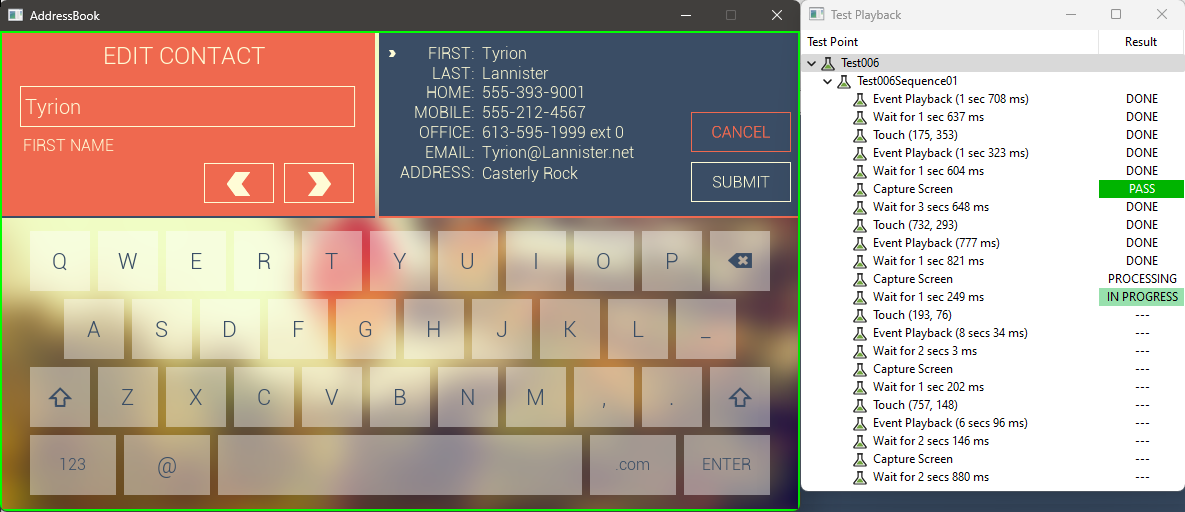
When a test is being recorded there will be a red outline in the window for the application that is being run. When a test is being played back there will be a green outline in the window for the application. During playback, when the rectangle is green, the application should not be interacted with.